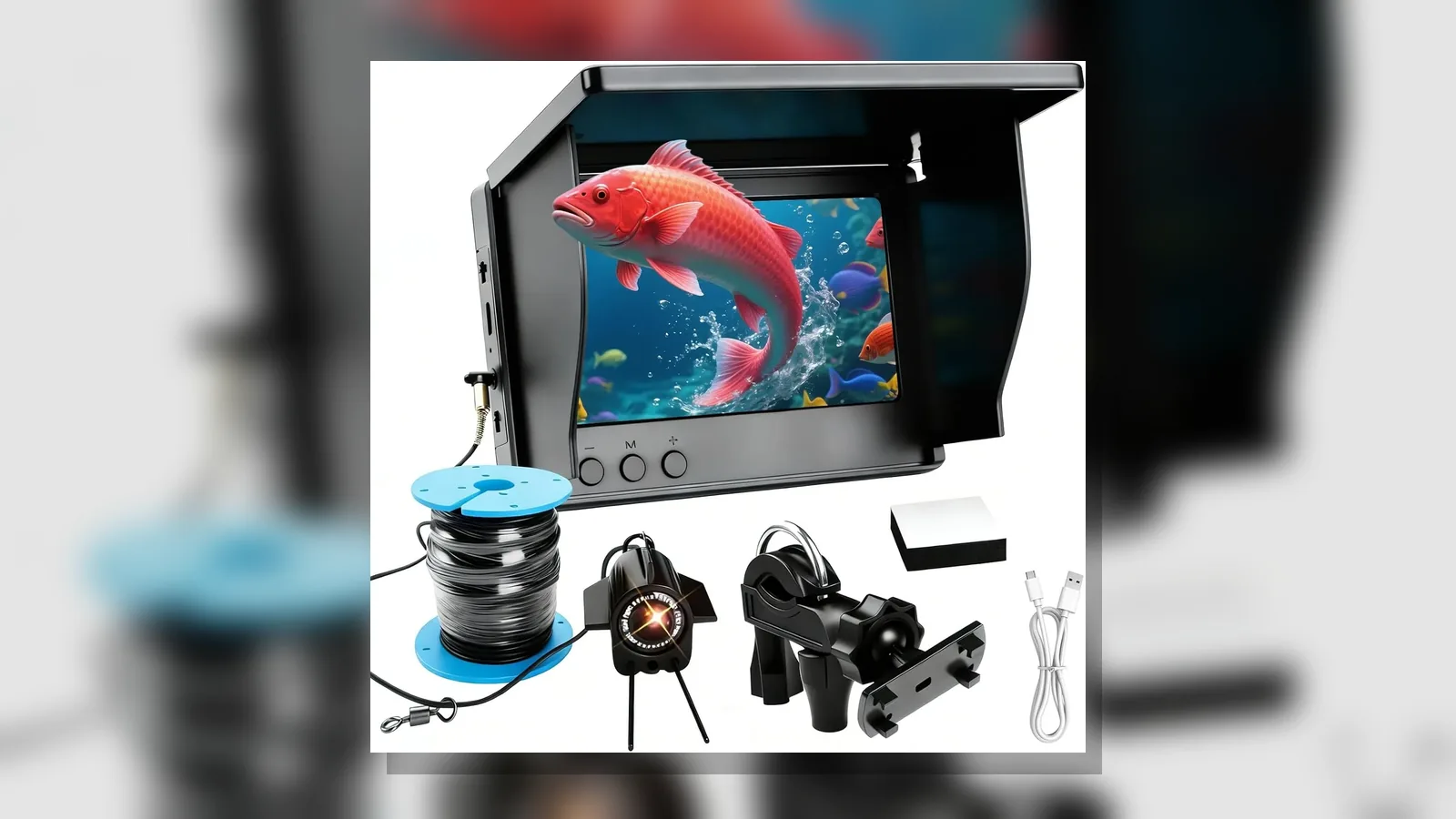
Checklist before buying underwater fishing camera UK: UK Practical Guide
Before you buy an underwater fishing camera in the UK, confirm the kit matches how and where you fish: live viewing on a screen, night-vision lighting if you need low-light work, cable and packaging options that suit boat, bank or ice use, and clear separation between camera viewing and sonar fishfinding. Use the checklist below to decide what to verify, what to pause on, and what to keep on file.
Direct answer checklist
Work through this short list before you pay:
- Confirm you need a viewing camera (live underwater picture), not a sonar fishfinder that plots echoes.
- Match the kit to your venue: bankside, boat or ice fishing in UK waters.
- Check whether the offer includes a screen, camera head, cable run and case or colour box as stated.
- Note screen size options (for example 4.3-inch or 5-inch bright IPS displays in some kits) and whether a display-only line is being sold without a camera.
- Confirm cable length options offered with the kit and treat listed lengths as supplier options, not proven working depth.
- Ask how IR night vision is switched and when you would use it in coloured or low-light water.
- Review weight, packing and how you will carry and store the set on a UK session.
- Read return, warranty and power-plug language for your market before ordering.
Public buying guides also flag video quality, weight, real-time viewing and water clarity as common decision points for anglers choosing an underwater fishing camera, and UK round-ups discuss ice, boat and bankside use cases.
Pre-checks
Purpose and venue
Write down whether you mainly want to watch structure, bait presentation or fish behaviour on a monitor. Keep that separate from any desire for sonar targets or depth charts. UK waters vary from stained canals to clearer lakes and coastal marks, so decide where the camera will spend most of its time.
Kit contents
For a portable underwater fishing camera with screen and IR night vision, ask the seller to list what is in the box: display, camera, cable, tools or case, and any language or plug variants. Some lines sell the bright IPS display alone; others pair 4.3-inch or 5-inch screens with camera kits and toolbox or colour-box packing. Cross-check the SKU wording against the photo and description so you do not order a screen-only option by mistake.
Viewing and lighting
Confirm you can see a live picture on the included screen and that IR night vision is explained as an aid in low light, not a promise of clear images in every UK water condition. Water clarity still limits what any camera can show.
Cable and handling
Note the cable lengths offered with each kit option and how the cable is stored. Do not treat a listed length as a certified depth rating or as proof the picture will stay usable at that distance. Check how you will lower, retrieve and dry the head after a session.
Power and language
If plug or on-screen language options are listed, pick the combination that fits UK use and confirm charging or mains wording with the seller before you buy.
Red flags to stop
- Claims that mix camera viewing with sonar fishfinder results as if they were the same tool.
- Guarantees of catching fish, finding fish automatically, or seeing clearly in all water clarity.
- Missing kit breakdown when several screen sizes, cable lengths or packing styles are on offer.
- Depth, waterproof or performance numbers that are not stated on the product page you are buying from.
- Unclear returns, warranty or plug standard for a UK buyer.
- Pressure to buy before you have matched venue, kit contents and live-view needs.
Guides on mistakes before buying an underwater fishing camera stress checking video quality, weight, real-time viewing and water clarity rather than rushing the purchase.
Record-keeping tips
- Save the product title, option name (screen size, cable length, packing) and order date.
- Keep screenshots of the kit list, IR night-vision wording and plug or language choice.
- Note your intended venues (ice, boat, bank) so you can compare later sessions against what you bought.
- Store seller messages about returns and what was included in the box.
- After first use, write a short note on viewing conditions and handling—not invented scores, just what you saw.
Next step
If you want a portable underwater fishing camera with a screen and IR night vision, review the current kit options and wording on the FishFind portable underwater fishing camera details page before you choose a screen size, cable option and packing style.
FAQ
Is an underwater fishing camera the same as a fishfinder?
No. A fishing camera is for live underwater viewing on a screen. A sonar fishfinder is a different tool for echo-based targets. Keep those jobs separate when you shop.
What should a first-use checklist cover in the UK?
Dry-fit the cable and screen on shore, confirm live picture and IR controls in a safe place, then try short drops in water you know, noting clarity and handling rather than chasing depth claims.
What belongs on a kit-contents checklist?
Display, camera head, cable option, case or box, any tools, and the plug or language variant you ordered—checked against the option name on the invoice.
Where can I read more before buying?
Compare angler-focused mistake lists and UK underwater fishing camera overviews with diver-oriented underwater camera guides so you do not confuse diving cameras with fishing viewing kits.